No-ICE: The De-Icing Hold-Over Time App for Professional Pilots

Winter operations demand precision. When de-icing fluid is applied to an aircraft, the clock starts ticking — and every pilot needs to know exactly how much hold-over time (HOT) remains before protection expires. No-ICE is a new iOS app built specifically for professional pilots who need fast, reliable access to deicing hold-over time tables from the FAA and Transport Canada (TCA), combined with a precision timer that tracks every second in real time.

Available now on the App Store, No-ICE removes the complexity from hold-over time management during cold weather operations — no manuals, no guesswork.

Download No-ICE on the App Store

Why Hold-Over Time Matters for Flight Safety

Hold-over time is the estimated period during which a de-icing or anti-ice fluid remains effective after application. Exceeding it means ice can re-form on critical aircraft surfaces — wings, stabilizers, control surfaces — compromising safety during taxi and takeoff.

Pilots operating in winter conditions must constantly reference HOT tables, cross-referencing fluid type, outside air temperature, and precipitation type. Doing this manually under time pressure, often in challenging conditions, introduces risk. That is the problem No-ICE was designed to solve.

Official FAA and Transport Canada Data

No-ICE provides direct access to hold-over time tables from two authoritative sources:

  • FAA — Federal Aviation Administration holdover time guidelines
  • TCA — Transport Canada de-icing standards

The app covers Type I, Type II, Type III, and Type IV de-icing and anti-ice fluids, across all relevant weather conditions:

  • Snow (all intensities)
  • Freezing rain
  • Freezing drizzle
  • Frost

Multiple fluid concentrations and temperature ranges are supported, giving pilots the same data they would find in official publications — but accessible in seconds.

Precision Timer with Real-Time Tracking

At the heart of No-ICE is a purpose-built timer designed for the cockpit workflow:

  • One-tap start, pause, and resume — no fumbling with complex interfaces
  • Elapsed time display with UTC/Zulu start time for operational logging
  • Assured time (green zone) and Limit time (orange zone) calculated and displayed in real time
  • Automatic flaps/slats factor — when flaps are extended, hold-over time is reduced by the standard 0.76 factor, applied automatically
  • Haptic feedback for eyes-free operation during high-workload phases

The timer is not just a countdown. It is an operational tool that gives pilots situational awareness of exactly where they stand relative to the assured and limit holdover time windows.

Live Activity and Dynamic Island

No-ICE takes full advantage of Apple is Live Activity and Dynamic Island features. Once the timer is running, pilots can monitor hold-over time directly from the iPhone lock screen — without opening the app.

  • Visual progress bar with color-coded assured (green) and limit (orange) zones
  • Full red indicator when hold-over time has been exceeded
  • Dynamic Island integration for at-a-glance status

This is particularly valuable during taxi operations, when the phone may be mounted or stowed but the lock screen remains visible.

Built for the Cockpit

No-ICE was designed with the operational environment in mind:

  • Celsius and Fahrenheit support — switch based on your operational region
  • Persistent state restoration — the app recovers its state after interruptions or restarts
  • iPhone and iPad compatible
  • Lightweight — only 8 MB, fast to load, no unnecessary overhead

Whether you are flying short-haul routes in northern Europe, crossing the Canadian prairies, or operating out of airports in the US northeast, No-ICE provides the de-icing data you need, when you need it.

Who Is No-ICE For?

No-ICE is built for professional pilots — airline, cargo, business aviation, and anyone operating aircraft in winter weather conditions. If you reference holdover time tables as part of your standard operating procedures, this pilot app replaces the manual lookup with a faster, more reliable digital workflow.

It is equally useful for dispatchers, ground crew coordinators, and training departments looking for a clear, visual reference tool for de-icing hold-over times.

Get No-ICE Today

No-ICE is available now on the App Store for iPhone and iPad, priced at just 2.99 EUR.

Download No-ICE from the App Store

Built by FEEL.AERO — aviation technology solutions for the modern cockpit.

The underestimated power of xml in Aviation

For years now, aircraft manufacturers understood that using xml to write manuals is the obvious option, but when it comes to operators and pilots, that’s a different story 🙄

While some airlines find it smart to build their future strategy around pdf readers, giving up on xml custo, viewers and other tools provided to them, their end users are expecting nothing else than a pdf, portrait mode with page numbers and the ability to swipe left and write.

If there’s very often many ways to skin a cat, not in that case. xml does way better on all topics, but it takes a bit of efforts and open minds to dive into it.

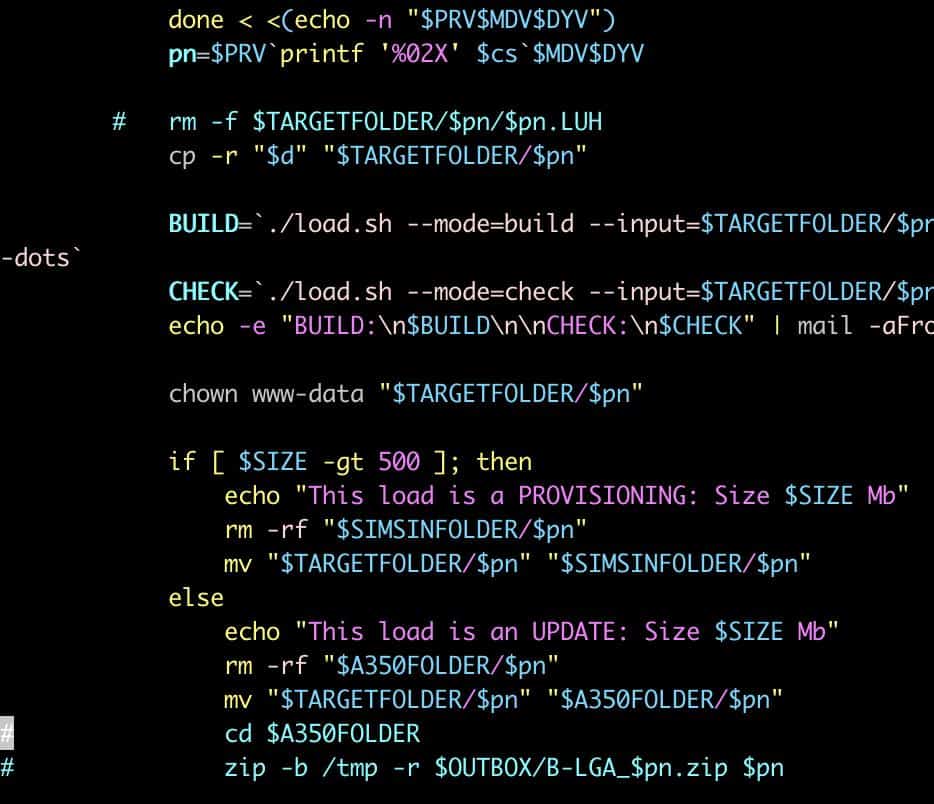
At FEEL.aero, we developed few scripts to work on xml manuals, using the Airbus Document Type Definition (DTD) mainly:

• Script producing an xml OM-C from mixed source(Airport/runways database and a web app for authored content)
• Patching a MEL in various way, like when it’s a new aircraft is joining the fleet
• Re-applying company customizations to the FCOM or FCTM when Airbus publishes an update
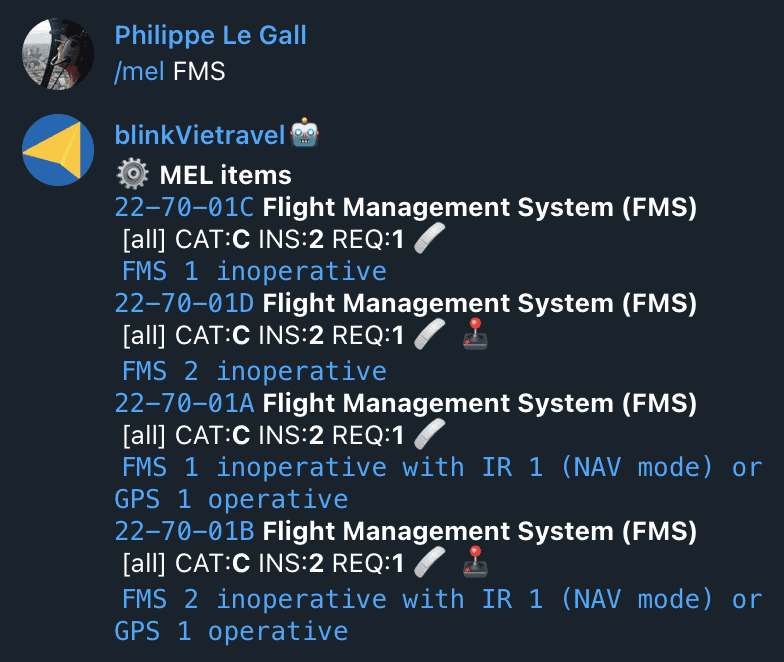
• Extracting MEL & CDL items to a database in order to make them available for example to feed a maintenance software

We just published an extension to our Telegram Bot, using the MEL & CDL xml data, making important information available for search instantly. This is just one use case, but so much more could be done!

Aviation has to evolve faster than it does now, to reduce mistakes, delays, costs, and we’re working on it.

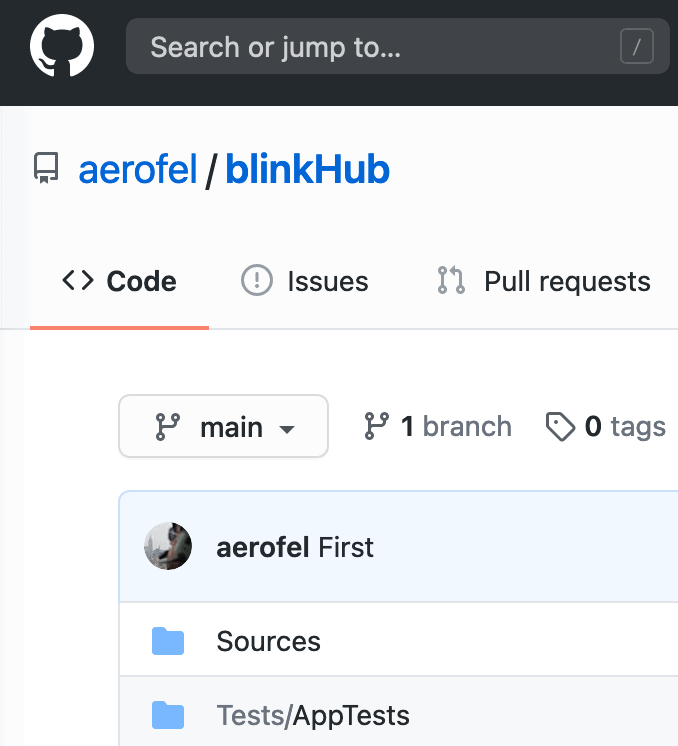
blinkHub published on Github

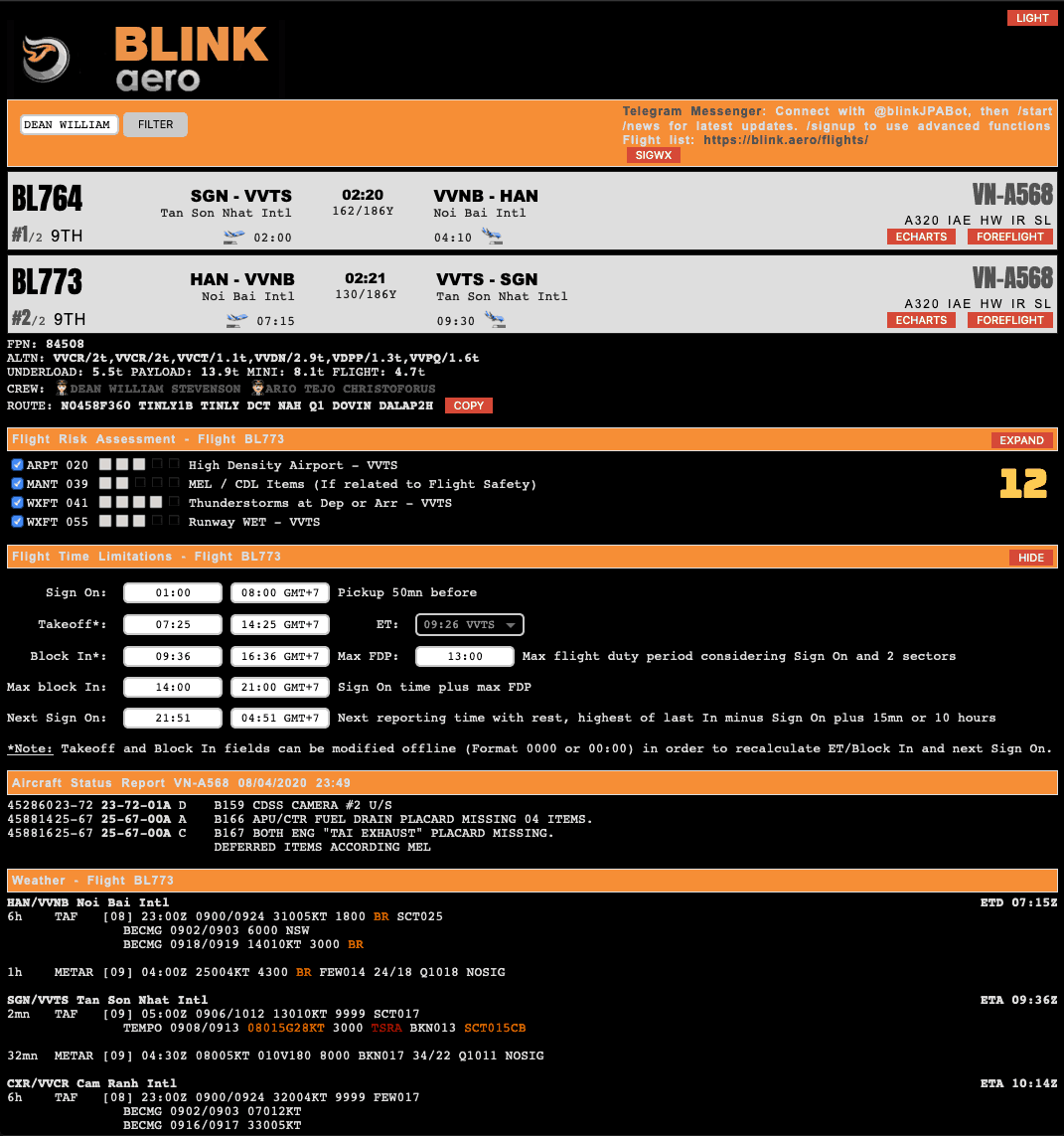
What’s the most important for you? Use an approved process where having expired weather and NOTAMs is not a big deal, or work with actual near real time information? Today we’re publishing on Github our service to handle Aviation messages from multiple sources, store them, and notify users via DM and websockets! Pretending to do the work is not enough, now you have a solution:

https://github.com/aerofel/blinkHub

#airlines #flightoperations #flightsafety #businessaviation #airbus #boeing #a350 #a330 #a320

Visualize areas defined by coordinates in NOTAMs

We’re introducing today a new feature to our NOTAM and weather monitoring platform.

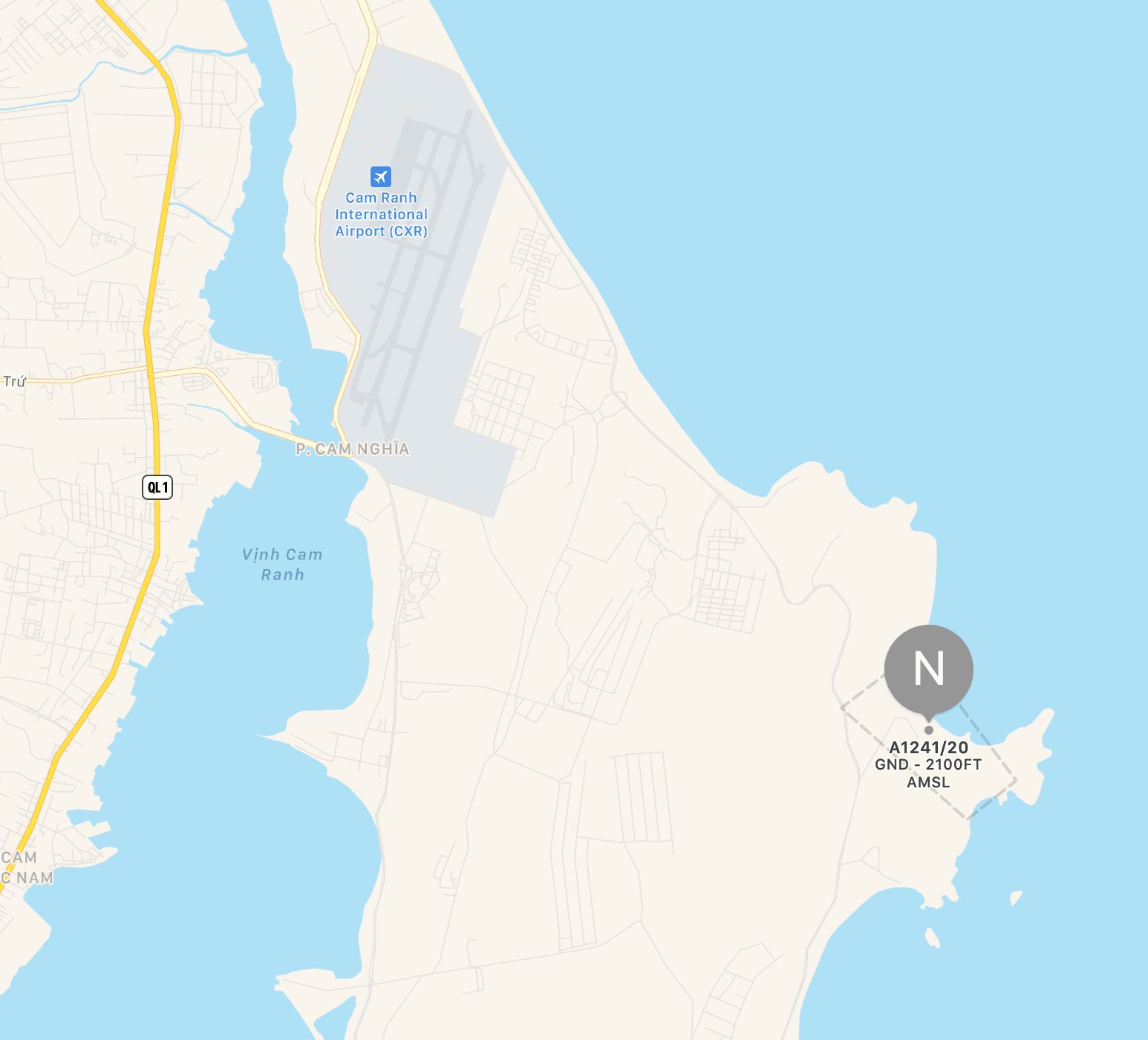
You’re probably pretty familiar with text NOTAMs like the one hereafter, but how many times have you been actually spotting on a map the area defined with coordinates?

🗺 NOTAMN VVTS A1241/20
W-[BO]/001NM FIR VVTS
[17]07:00 ↔️ [20]08:00
FRNG WILL TAKE PLACE WI:
115737N1091613E - 115650N1091649E - 115636N1091631E - 115716N1091545E
- 115737N1091613E
BRG: SE
- ALL FLIGHTS ARE PROHIBITED WITHIN THIS AREA.
- DURING THIS TIME, DEP/ARR ACFT IS NOT TEMPO OPERATED AT CAM RANH
INTL AP.
GND ↕️ 2100FT AMSL
⏱ 17 0700-0800 2330-2359 18 0000-0010 0040-0120 19 2330-2359 (RESERVE DAY) 20 0000-0010 0040-0120 0700-0800 (RESERVE DAY)
✨【DISPLAY ON MAP】

Our @blinkAeroBot  will display a map overlaying the region for you. You just have to click

https://t.me/blinkAeroBot

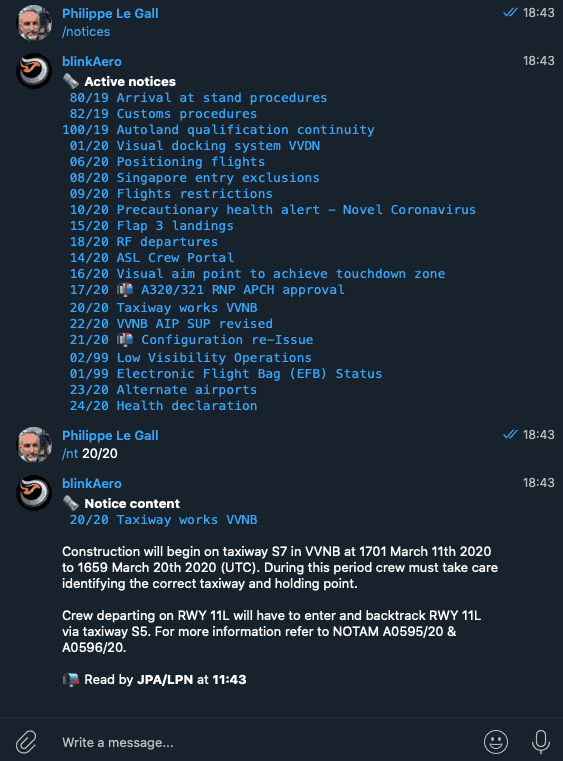
Use a DM bot to enhance communication

Why not using Telegram DM (Direct Messages) to communicate with crews? We have a bot capable of monitoring weather, NOTAMs, notices, display roster or changes, enable communication between crew or operation. Ask us to get more information about this very innovative and exclusive platform.