sQRH — Quick Reference Handbook
A streamlined, pilot-focused toolkit for airline operations.
sQRH provides pilots with instant access to emergency procedures, checklists, hold-over time tables, flight time limitations, and operational references — all optimized for cockpit use. Designed to be easier to read at night and usable in split screen alongside your other critical apps.
what’s new in 4.4
- Live Altitude Sync — ALT module state (FL, ΔISA, QNH, m/ft) now syncs live between paired iPads and iPhones over MultipeerConnectivity. Highlighted FL stays consistent across devices regardless of table mode.
- Big ALT Readout — New single-line altitude reading under the FL with tap-to-toggle meters/feet, 3-state GPS icon (green/orange/red), and long-press reset of ΔISA and QNH.
- Consolidated OPS Tables — Categories whose children share the same single-table layout (Aircraft Configuration Summary, ECAM Advisory…) now collapse into one consolidated table — no more stacked mini-tables or redundant submenus.
- Polished iPhone Navigation — Unified framed back-pill across every menu, with the destination title and accent-tinted left chevron. When a category contains a single procedure, its title sits in the back-pill and the body shows directly below.
- Sharper Inline Rendering — Coloured emphasis applies in paragraphs and table cells, abbreviations correctly inherit bold/colour from their wrapping emphasis, ECAM subtitles no longer balloon past surrounding text on iPhone.
- Stateful Reset Button — CKL “Reset all checklists” tints light green when nothing is started, light orange as soon as anything is ticked.
- Accurate Sidebar Counts — Badge numbers now match the items the panel actually renders.
key features
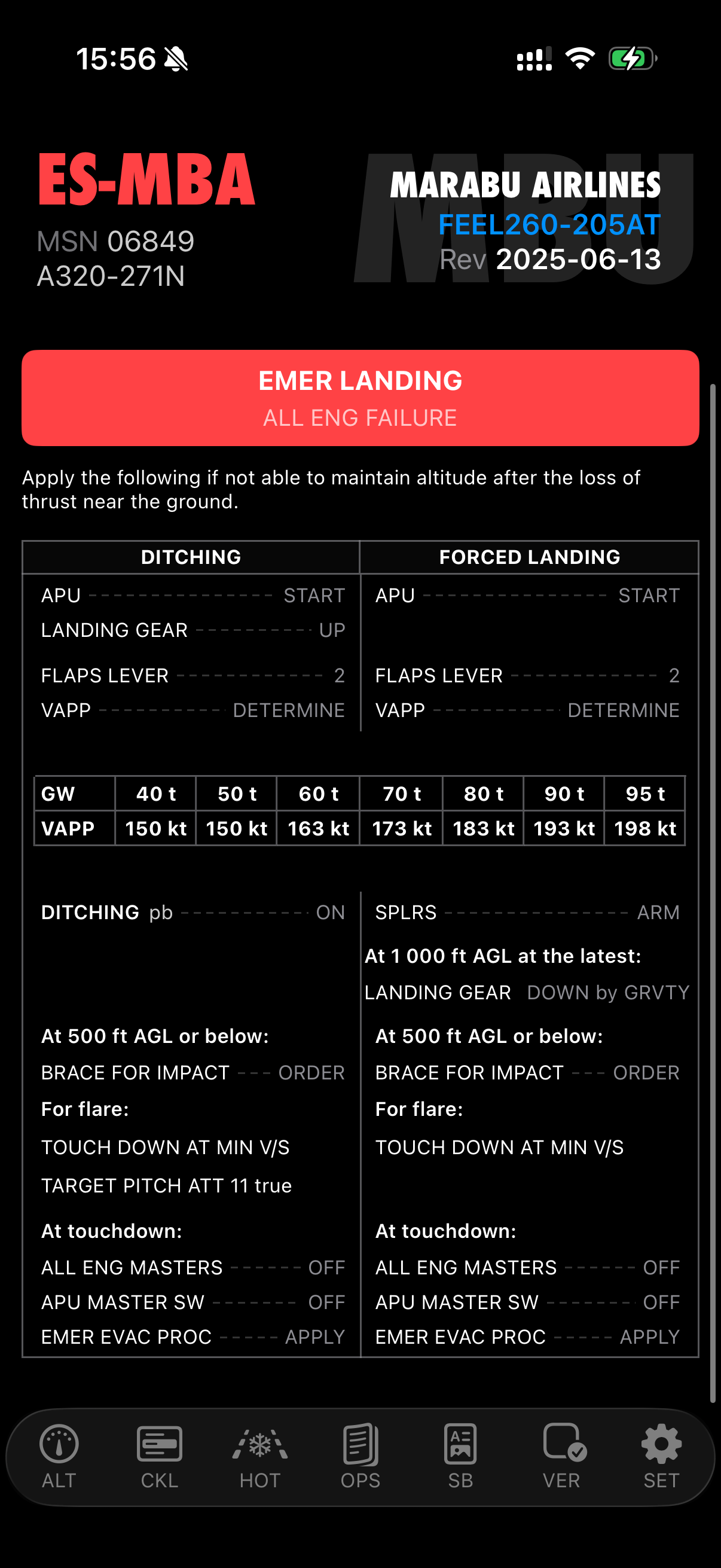
Emergency Procedures (EMR)
Quick access to emergency evacuation and landing procedures with one-tap toggle. Full procedure rendering with inline illustrations, warnings, cautions, notes, tables, and ECAM references.
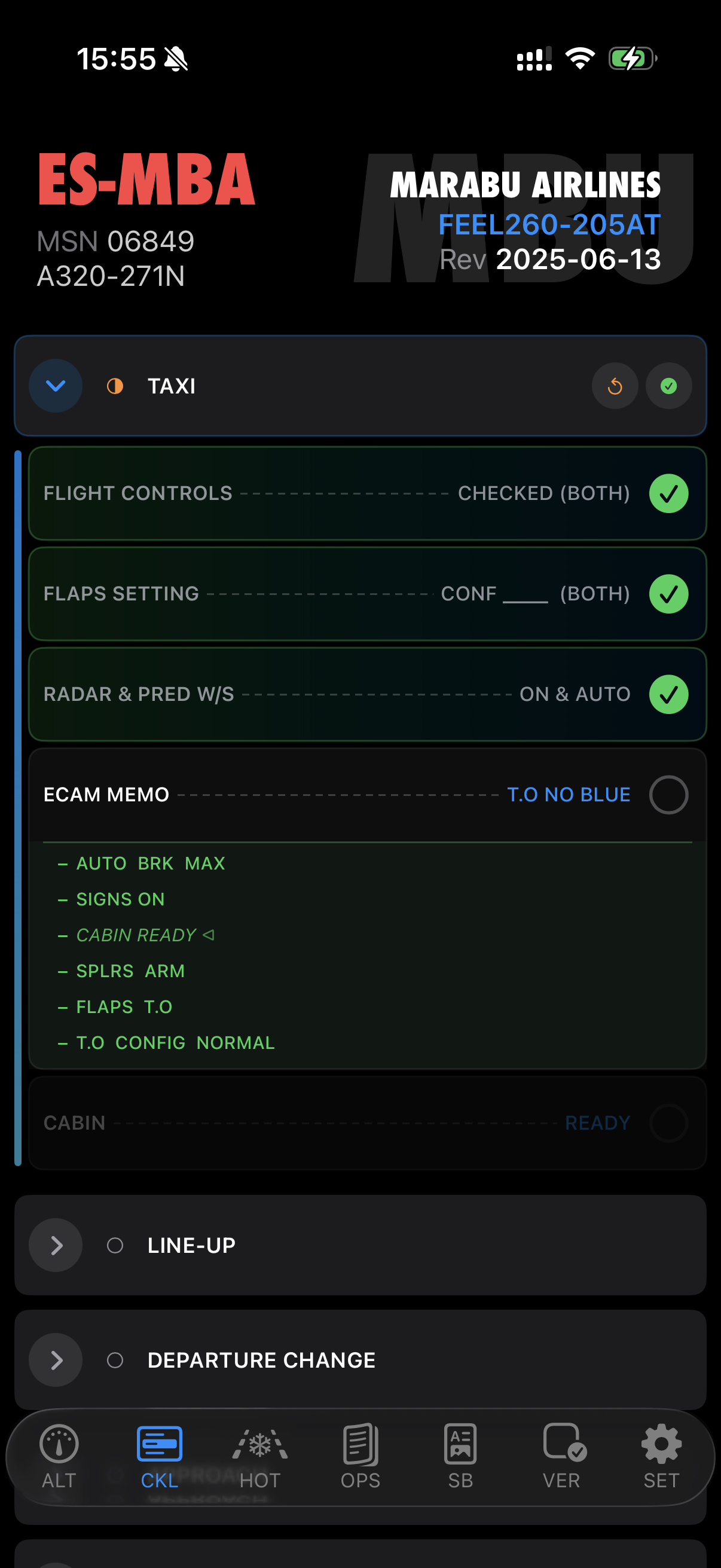
Checklists (CKL) with Live Sync
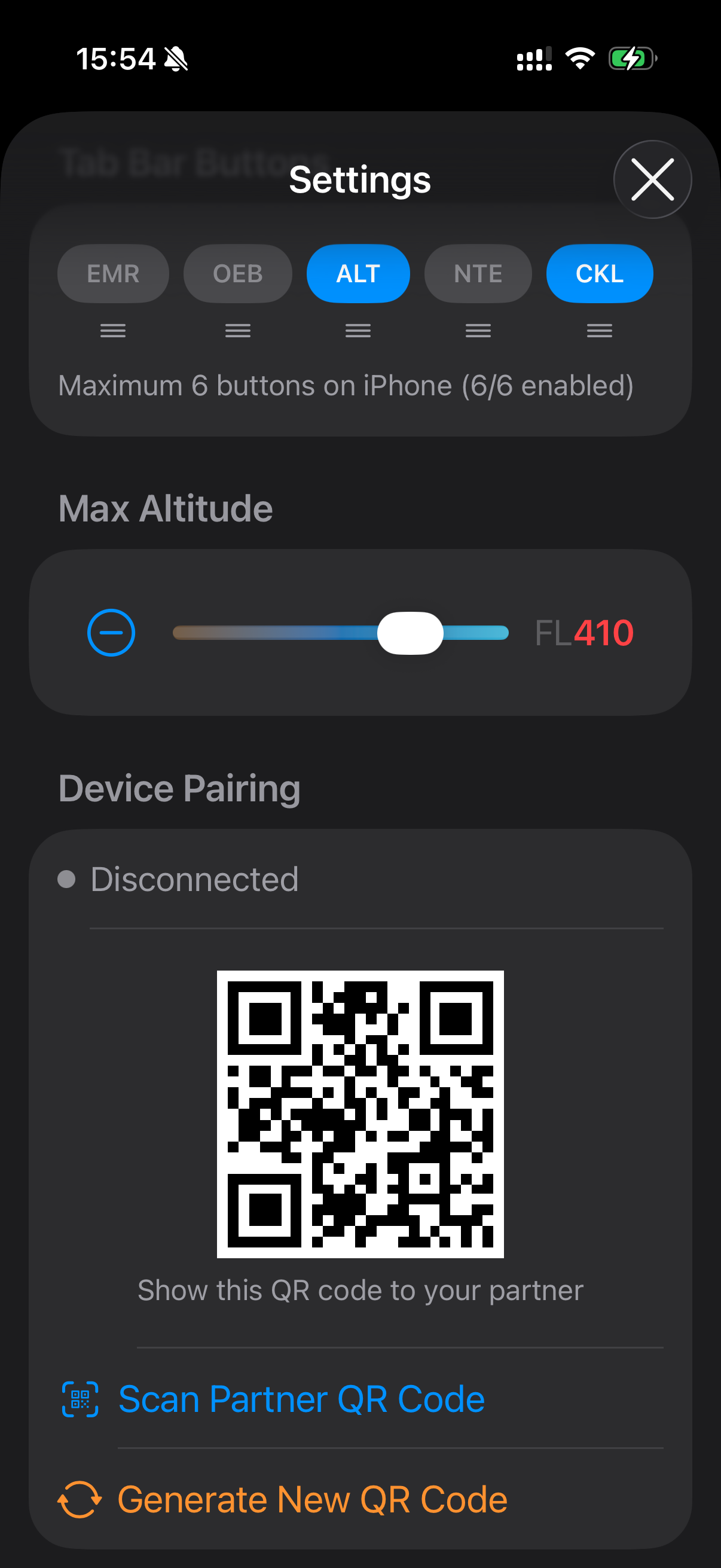
Normal and emergency checklists with state tracking and live sync between paired devices. Scan a QR code once to pair — checked items, section expansions, and resets propagate instantly between cockpit iPads via encrypted MultipeerConnectivity. The Takeoff CG/TRIM POS section includes an interactive trim calculator with cockpit-sized numpad.
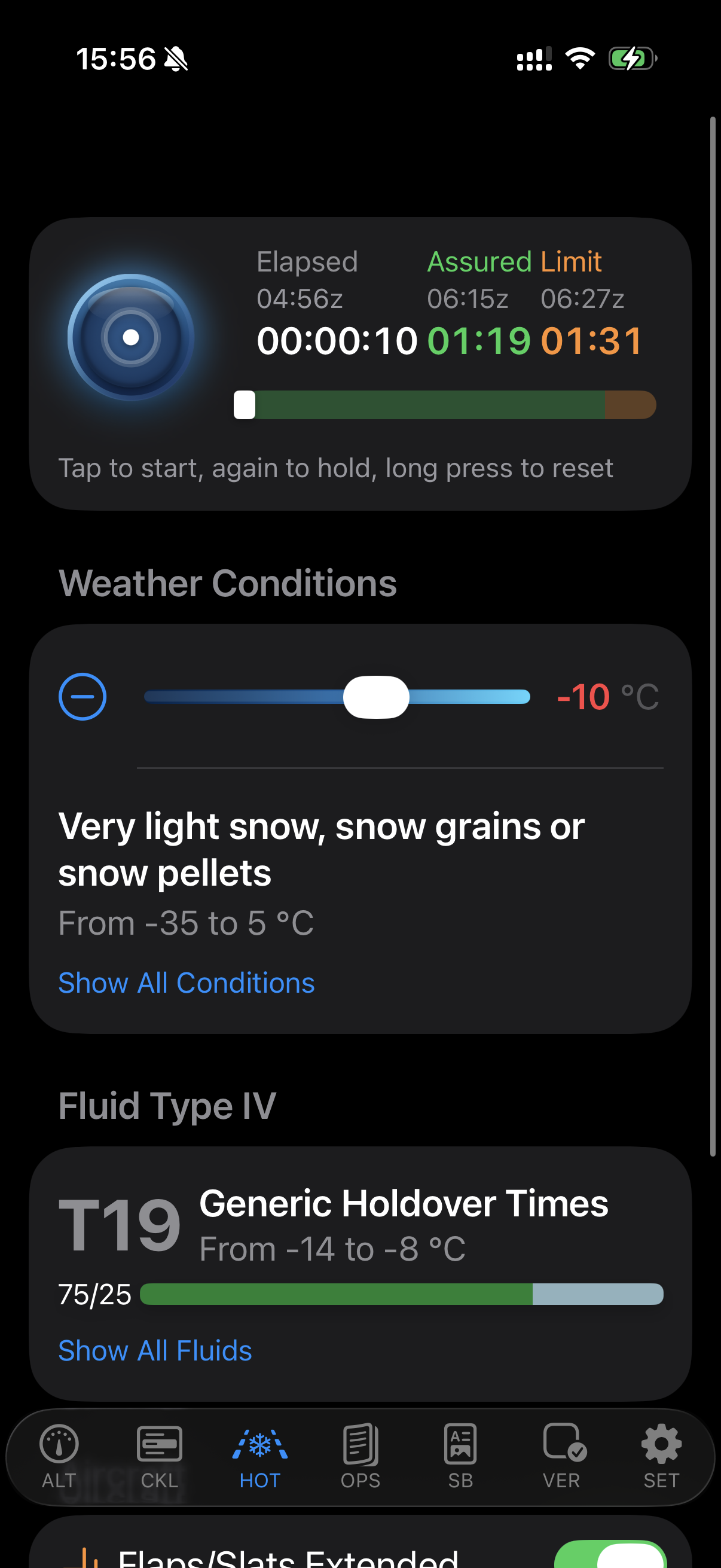
Hold-Over Time Calculator (HOT)
FAA and TCA 2026 tables with Live Activity timer on Lock Screen and Dynamic Island, including flaps adjustment. In-app purchase — also available as a standalone app (No-ICE).
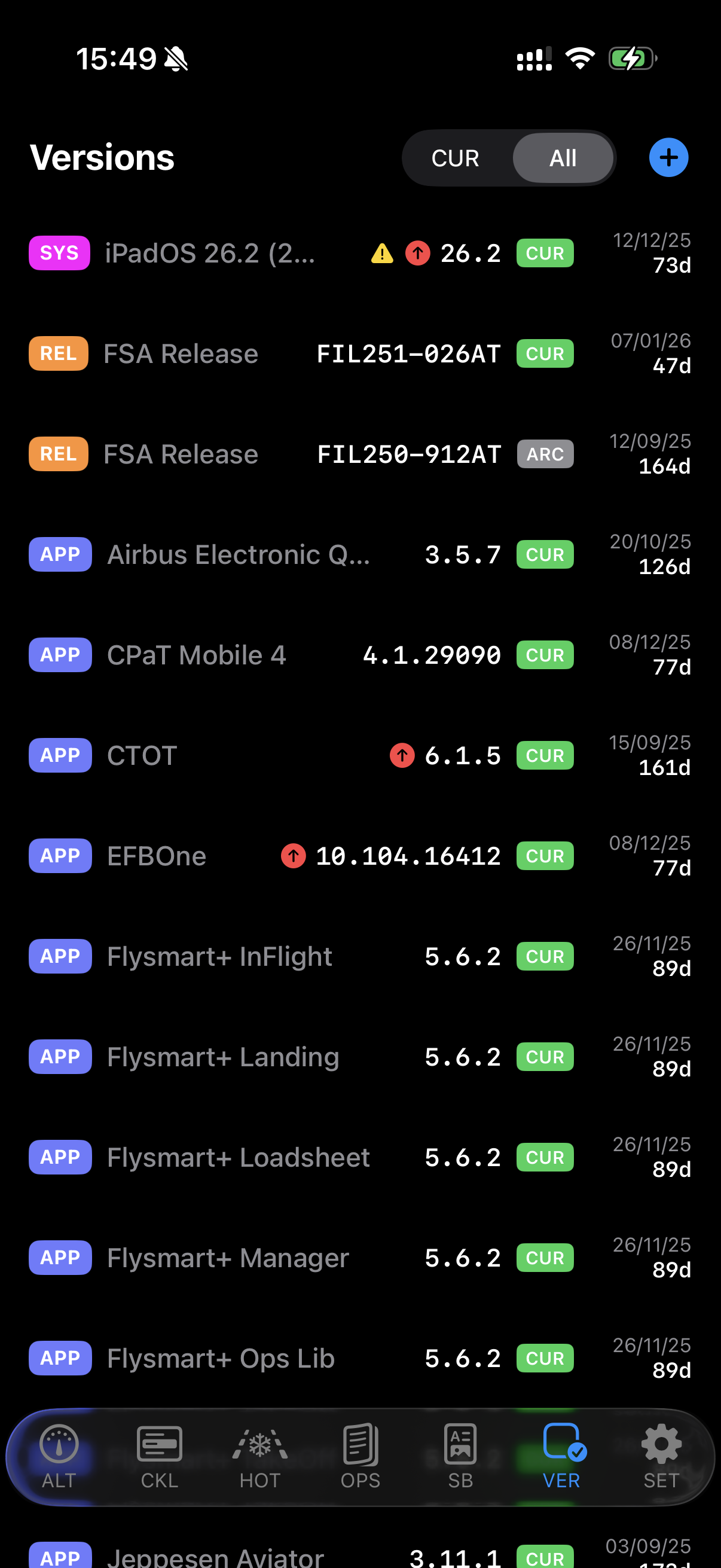
Versions (VER)
Track all your EFB app and system versions in one place. Pull down to check the App Store for updates — a badge appears next to outdated entries. Create, edit, and archive version records. Works standalone with local data, or connects to your BLINK/FSA server to sync automatically on launch.
Also includes:
- Flight Time Limitations (FTL) — EASA ORO.FTL calculator with timeline, crew rest split, commander discretion, and paired device sync
- Standard Operating Procedures (SOP) — SOP reference materials at your fingertips
- Operational Engineering Bulletins (OEB) — Browse and view OEB procedures with inline illustrations
- Abnormal Procedures (ABN) and Operational Data (OPS) — Two-panel split navigation with category sidebar
- Dynamic Airline Tabs — Custom operator sections auto-detected from loaded data
- Altitude Reference (ALT) — Interactive altitude table with ISA deviation, QNH correction, metric RVSM support, GPS-derived altitude, and live sync between paired devices
- Personal Notes (NTE) — Keep your own operational notes organized
designed for the cockpit
- Night-Ready UI — Optimized for low-light cockpit conditions
- Device Pairing — Scan a QR code once, auto-reconnect every session. Encrypted peer-to-peer sync, no internet required.
- Direct Import or Server Sync — Load eQRH data from ZIP files or connect to your airline’s server
- Split View and Slide Over — Use alongside your other apps on iPad
- Customizable Tab Bar — Drag-to-reorder, toggle visibility, quick-access vertical menu for hidden tabs
- Blink Compatible — Built-in xABDC server for companion EFB applications
- Inline Illustrations — Full support for embedded graphics in procedures, tables, and descriptions
availability
Free on iPhone, iPad, Mac (Apple Silicon), and Apple Vision Pro. Requires iOS 17 or later. No data collected.