sQRH 4.6.1 — the limit first, and crew rest alarms
The question a crew asks of an FTL calculator is short: until when can we fly? sQRH 4.6.1 answers it first. The FTL module now opens on the limit as a clock time — latest on-blocks, with the local time at the last arrival — and the planned margin on a single green, amber and red scale. Below it come the options that move the limit, extension, split duty and commander discretion, each with its own time. During the duty a Time left line counts down to the limit, and a duty saved more than a day ago offers to start a new one.
Entering the duty is quicker too. Report, crew and acclimatisation collapse into one line you tap to edit; times go in on a numeric keypad, with Yesterday, Today or Tomorrow for the report so that a duty planned the evening before lands on the right day. The timeline is now in clock time, with a now cursor, the crew rest window, the WOCL and the limit markers, and a duty crossing midnight keeps the right dates whatever you edit.
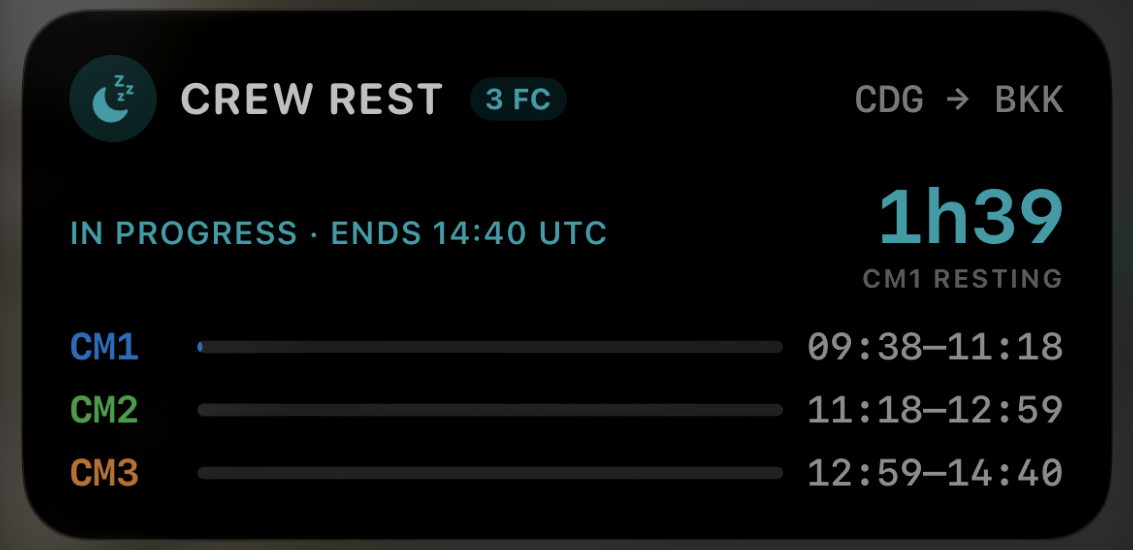
Crew rest gets its own card: who is resting and the next rotation first, a one-minute nudge when the cruise started a little earlier or later than tapped, and a hold-to-stop button so the alerts can’t be cancelled by a stray touch. New in 4.6.1, tap a rest period to set an alarm on it. The alarm rings like the Clock app — on the lock screen, in silent mode and through Focus, with sQRH closed — at the end of that rest period minus the rest alert from Settings. Set it on your own rest, or on several; the choice stays on your device and is never shared. Alarms need iOS 26.1 or later.
When every rest period is over, the crew rest Live Activity now leaves the lock screen on its own instead of lingering. Sharing the duty over Bluetooth also works for multi-sector duties with every nearby device, including sFTL on Android, and Settings now tells you when a newer sQRH is on the App Store.
As always, sQRH is an aid: the operator’s FTL scheme governs. Full details on the sQRH app page, and the update is on the App Store.