sQRH
A streamlined, pilot-focused Quick Reference Handbook for Airbus operations.
- Digital Airbus QRH — emergency/abnormal procedures, SOPs, operational data, and interactive checklists
- Built-in cockpit tools — EASA ORO.FTL duty-limit calculator, hold-over time tables, ISA/QNH altitude, and a takeoff CG/trim calculator
- v4.6 adds a crew-rest timer you can arm ahead of time, a crew-rest Live Activity on the lock screen, and Bluetooth sharing of FTL and HOT with a nearby device
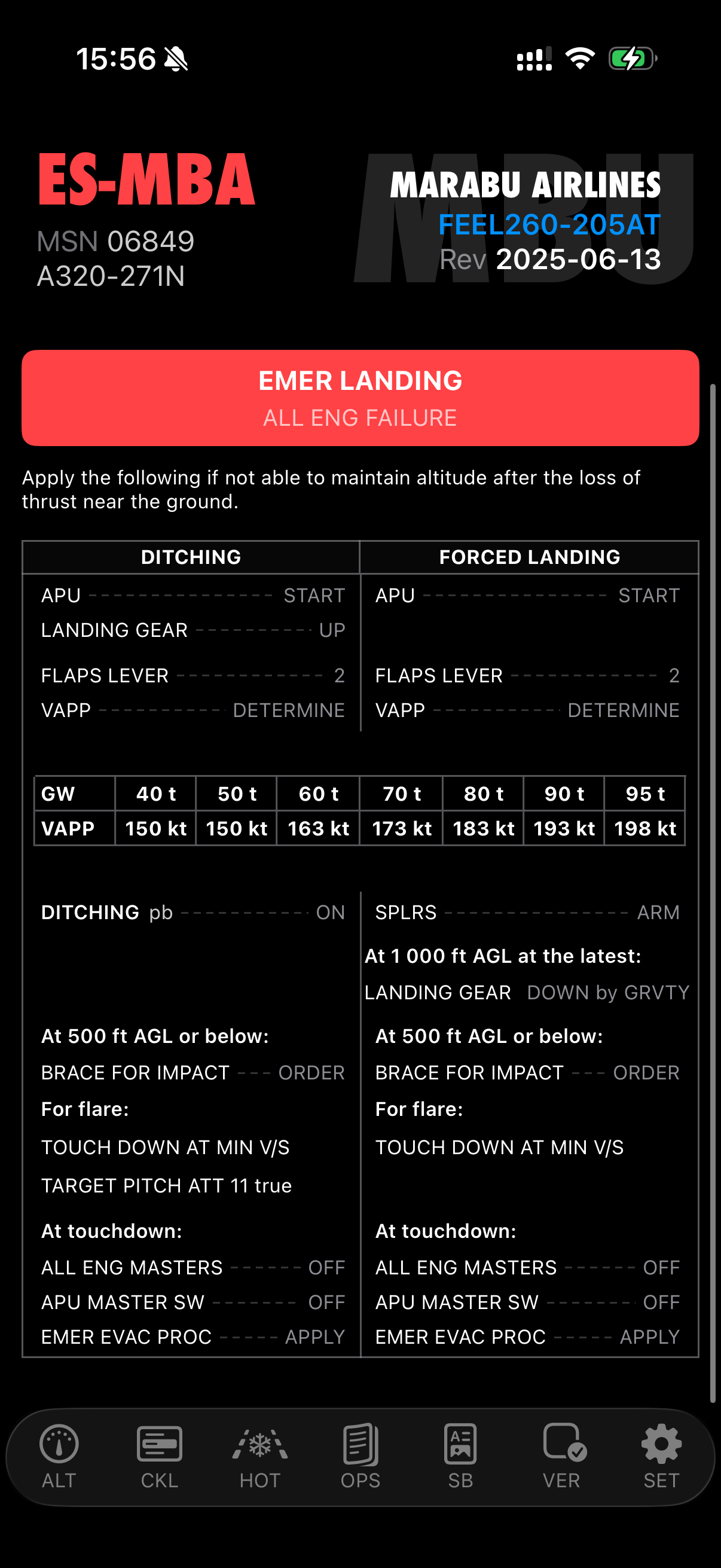
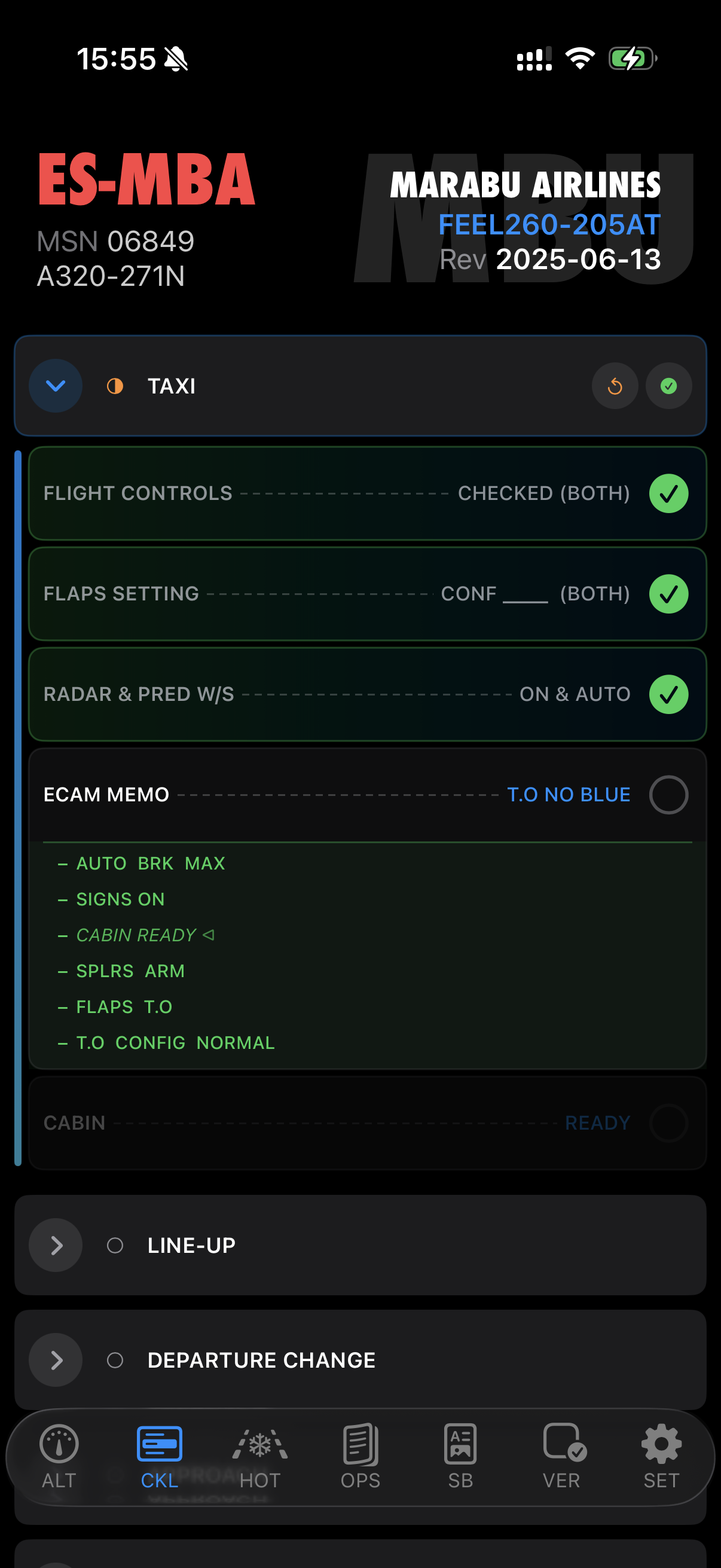
sQRH brings the Quick Reference Handbook into a format that works on an iPad or iPhone — designed for fast, accurate access during the high-workload situations where QRH content matters most. What began as a digital handbook has grown into a compact cockpit toolkit.
Core content
- Emergency and abnormal procedures: Structured for rapid identification and execution under pressure
- Standard Operating Procedures: Step-by-step SOPs in a clean, readable format
- Operational data: Performance tables, configuration summaries and operator-specific procedures, with a two-panel browser on iPad
- Checklists: Normal and abnormal checklists optimized for the small screen, with state tracking
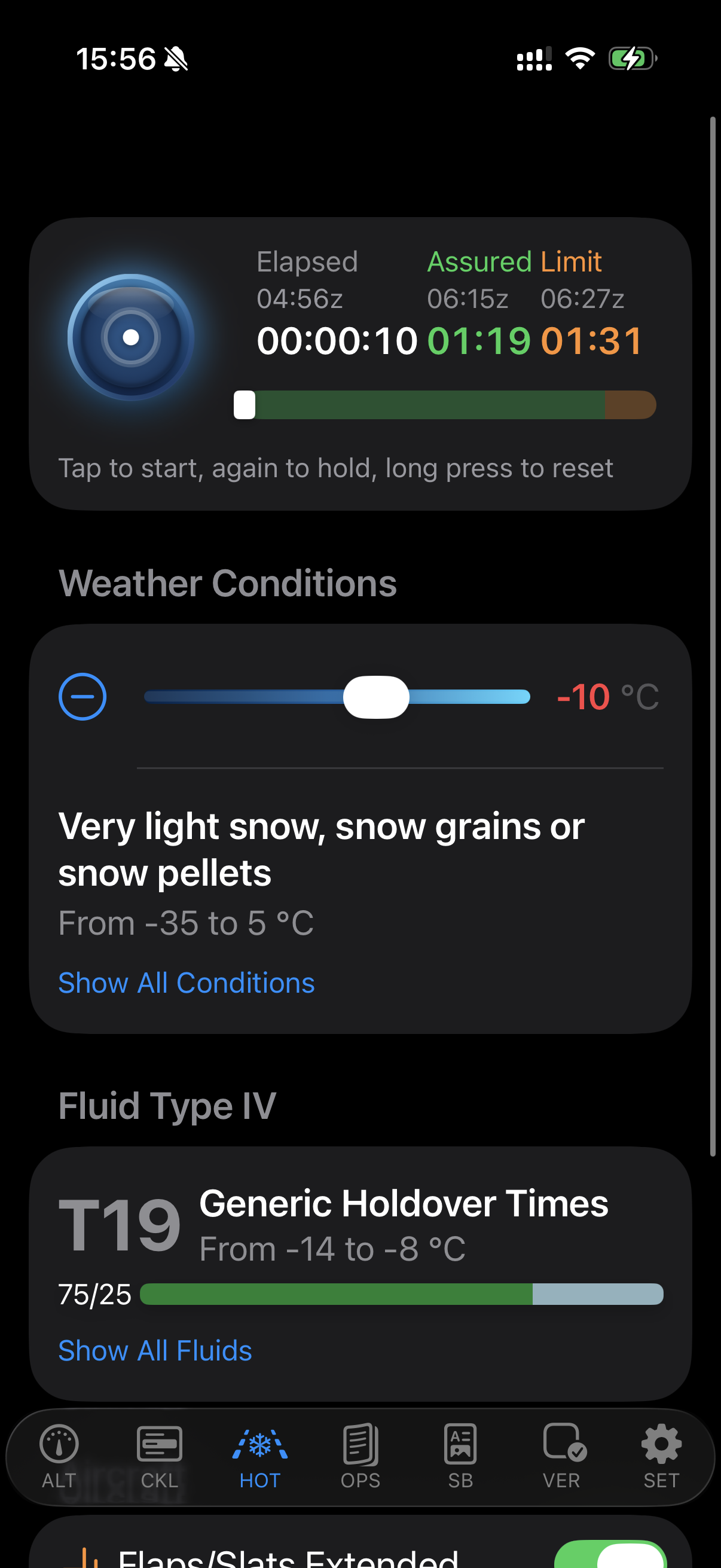
- Hold-over time tables: Deicing and anti-icing reference data integrated directly in the app — FAA and Transport Canada, Winter 2026-27
Cockpit tools
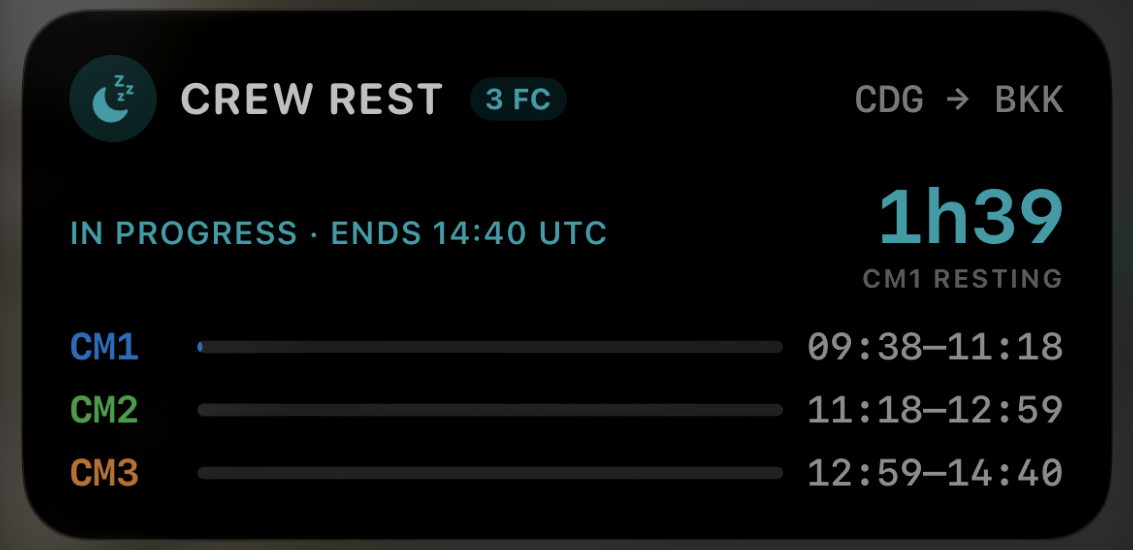
- Flight Time Limitations (FTL): An EASA ORO.FTL duty-limit calculator for on-the-spot FDP assessment — flight and cabin crew, augmented crew with in-flight rest, split duty, delayed reporting, WOCL and commander discretion, with a duration timeline and a crew-rest timer. v4.6 lets you arm the crew rest for the planned start (OUT plus climb buffer): it starts by itself, notifies the crew at the start and the end, and runs as a Live Activity on the lock screen and in the Dynamic Island — who is resting, the time left in the current rest period and one bar per pilot, all in UTC.
- Hold-over time (HOT): The FAA and Transport Canada tables, refreshed every year ahead of the northern winter. Pick the weather and the fluid type and read the window, with a countdown timer that runs on the lock screen and in the Dynamic Island. v4.6 redesigns the module — the timer stays pinned while weather and fluid scroll — and shares the timer and conditions over Bluetooth with sQRH or No-ICE.
- Altitude (ALT): An interactive ISA/QNH-corrected altitude table with a GPS-aware readout, a metres/feet toggle and metric (Chinese RVSM) flight levels.
- Takeoff CG/TRIM: Enter your CG on a cockpit numpad and read the THS trim position instantly on a horizontal gauge, with trim data parsed per aircraft from the official eQRH data.
Live device sync and sharing
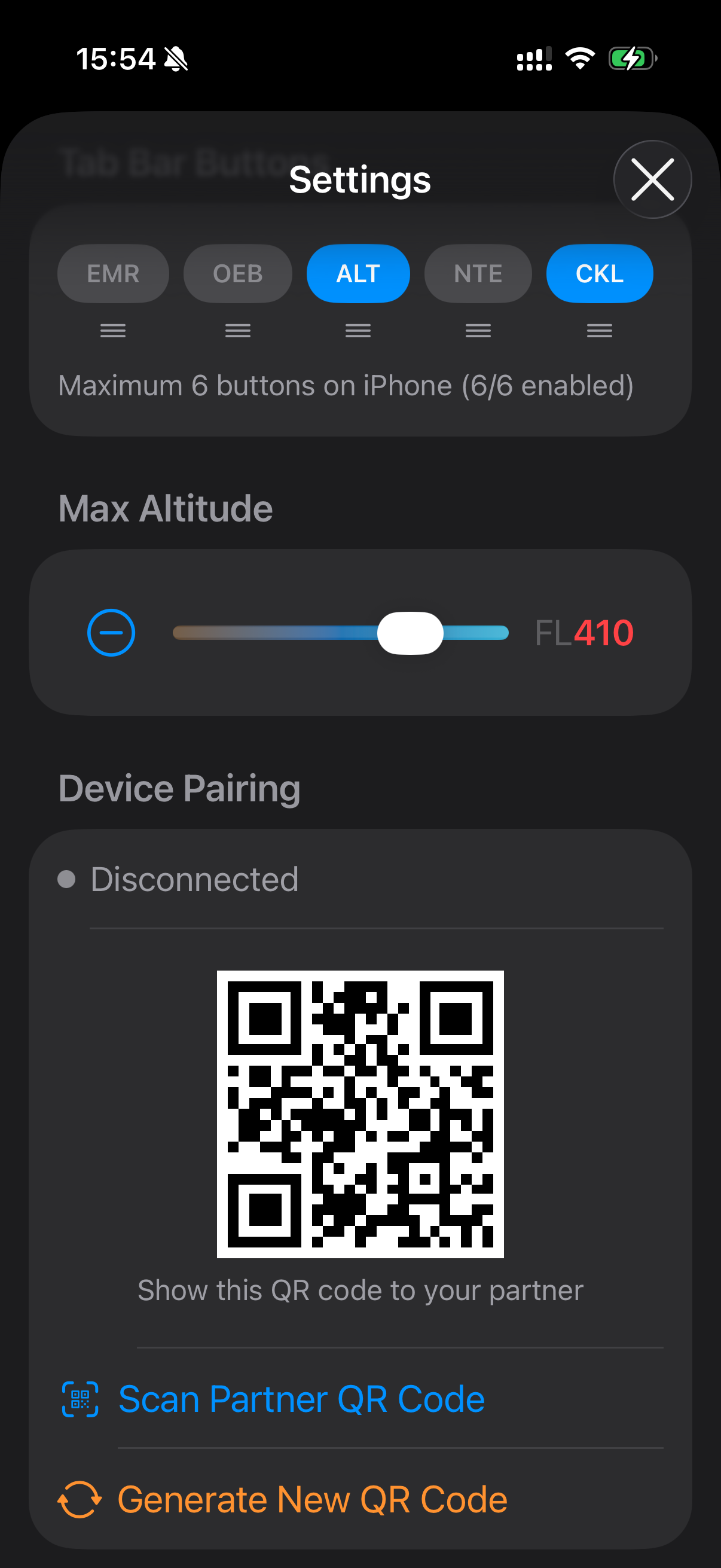
Pair an iPhone and iPad by scanning a QR code and the two devices stay in step — checked items and altitude settings sync live over encrypted MultipeerConnectivity, with no internet required. A pairing survives an app restart, recovers on its own after a Wi-Fi drop or backgrounding, detects a peer that has gone silent, and reports an honest connection status.
FTL duties — sectors, crew and crew rest, including an armed start — and the HOT timer are shared on demand with Nearby Share over Bluetooth. Nothing changes on the receiving device until its crew confirms.
Versions Module
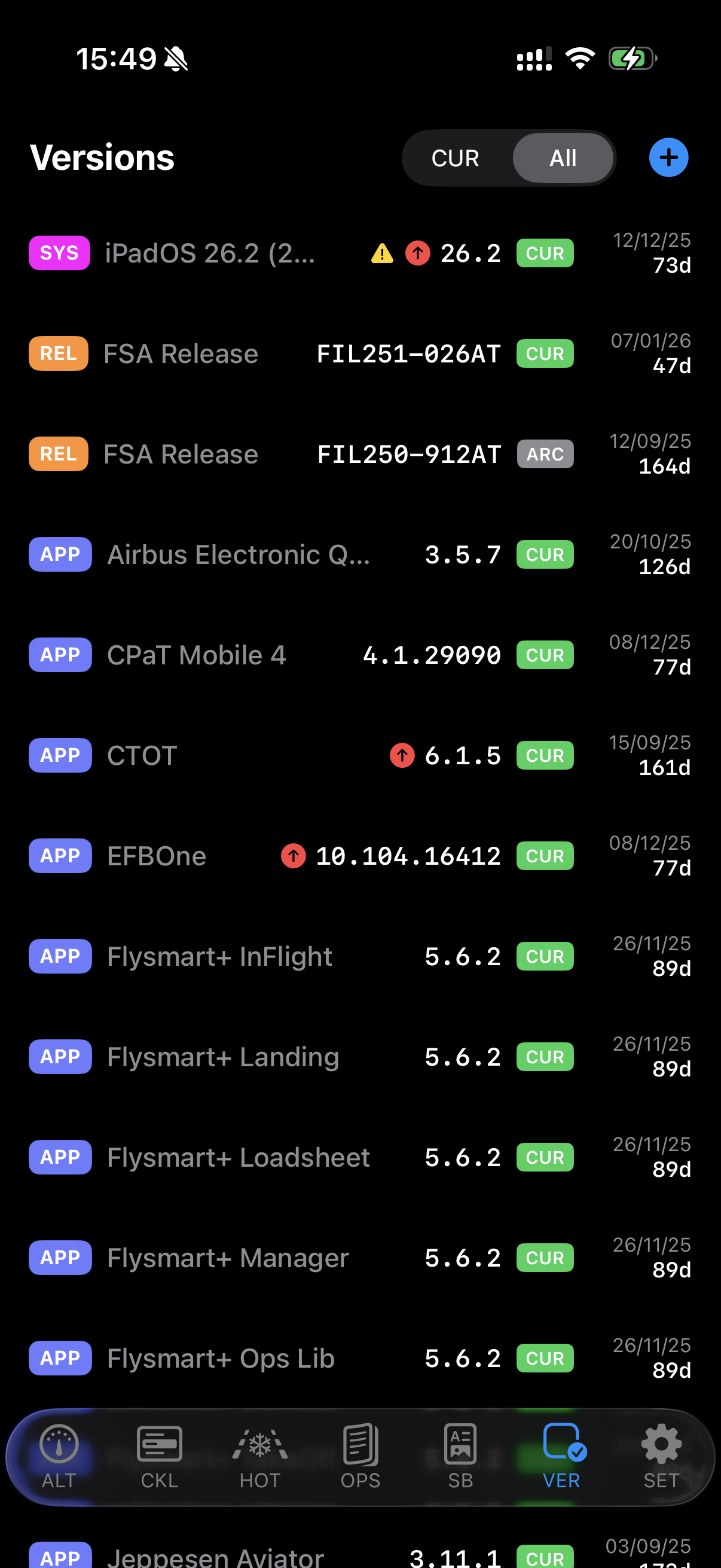
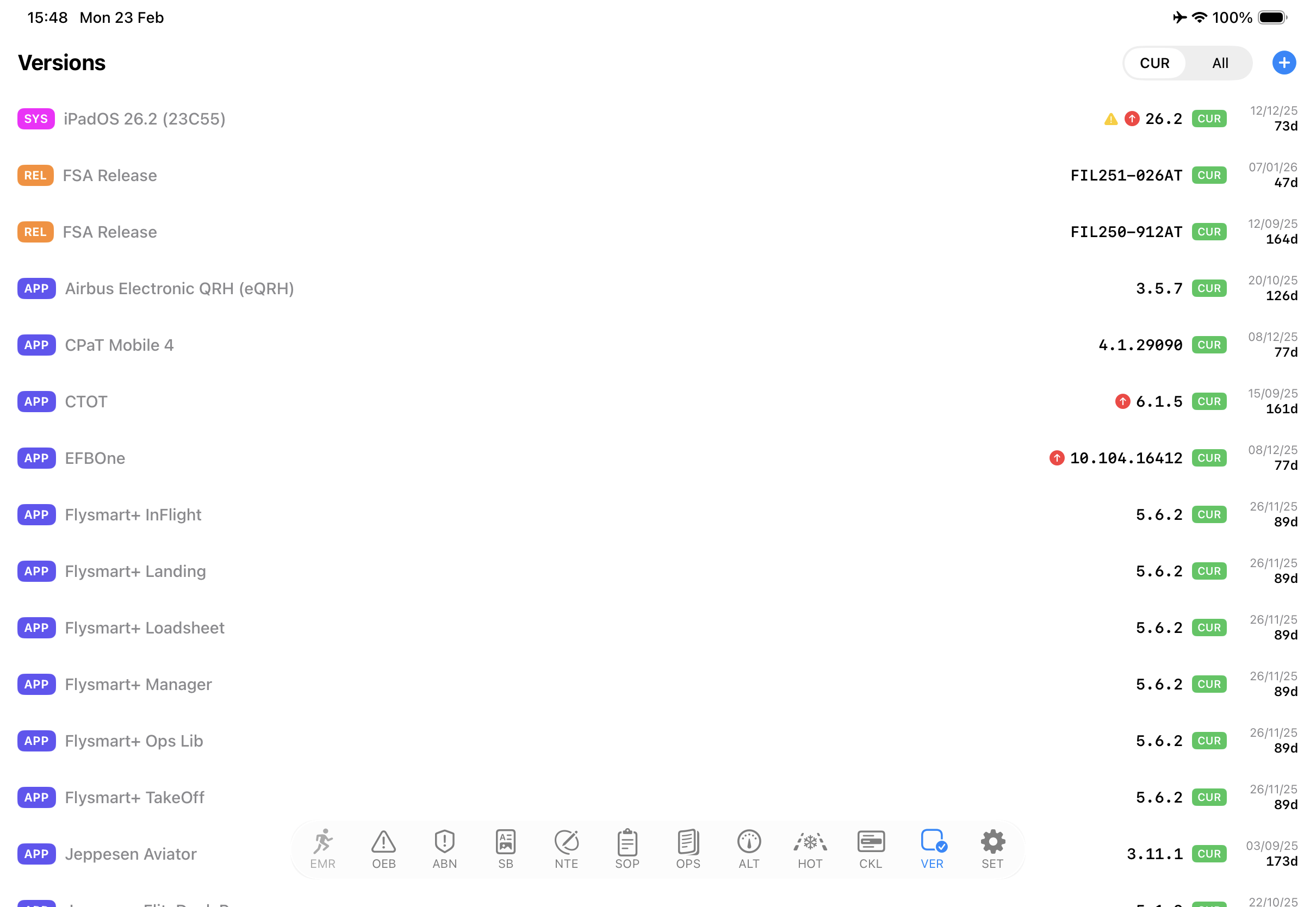
The Versions Module tracks which version of which EFB application is installed across a mixed fleet of crew devices — a clear, auditable record that is useful both for individual pilots and for EFB administrators managing compliance. Pull to refresh and it checks the App Store for newer versions.
Design philosophy
sQRH is built by pilots for pilots. The information hierarchy and navigation are designed around how crews actually use a QRH in practice — not around what is easiest to implement technically. Text is large enough to read under cockpit lighting conditions, and navigation is direct, with minimum taps to reach any procedure. sQRH runs only on unmodified devices: a jailbroken iPhone or iPad is refused.
Frequently asked questions
What does QRH stand for and what is sQRH?
QRH stands for Quick Reference Handbook — the procedural reference document crews use for abnormal and emergency situations. sQRH is FEEL.AERO's digital implementation, optimized for Airbus procedures and designed for fast access under workload.
Is sQRH approved for use in the cockpit?
sQRH is a reference tool. Its use in operational context is subject to your airline's EFB policy and regulatory approval. Contact us to discuss compliance requirements for your operation.
Which hold-over time tables does sQRH use?
The FAA and Transport Canada tables for Winter 2026-27 — 56 tables per authority, covering fluid Types I to IV and eleven precipitation conditions. The data is refreshed each year ahead of the northern winter, and the flaps-extended adjustment is applied for you.
Does sQRH calculate flight-time limitations?
Yes. The FTL module computes EASA ORO.FTL flight-duty-period limits on the spot — flight and cabin crew, augmented crew with in-flight rest, split duty, delayed reporting and commander discretion — with a duration timeline and a crew-rest timer. Since v4.6 the crew rest can be armed for the planned start, starts by itself, and runs as a Live Activity on the lock screen and in the Dynamic Island, in UTC.
Can I sync between my iPhone and iPad?
Yes. Pair once by scanning a QR code and the devices sync checklists and altitude state live over encrypted MultipeerConnectivity — no internet required. FTL duties and the HOT timer are shared on demand over Bluetooth with any nearby device, and the receiving device confirms before anything is replaced.
What is the Versions Module?
The Versions Module tracks the versions of all EFB applications installed on your device — a clear, auditable record for individual pilots and for EFB administrators managing version compliance across a fleet.
Does sQRH cover all Airbus types?
sQRH content is structured around Airbus procedures. Coverage by type is expanding — check the latest release notes for current type coverage.