Off 2 v2.3 — chat, redesigned, and a watch complication that keeps counting
Off 2 2.3 is about talking to the people flying with you. The onboard chat — which works over the local network between devices, no internet needed — has been redesigned from the ground up into a single screen: the people around you along the top, your conversations as chips below, and the thread in the middle. Public chat, private messages, and crew groups no longer live behind separate pickers; you just tap who you want.
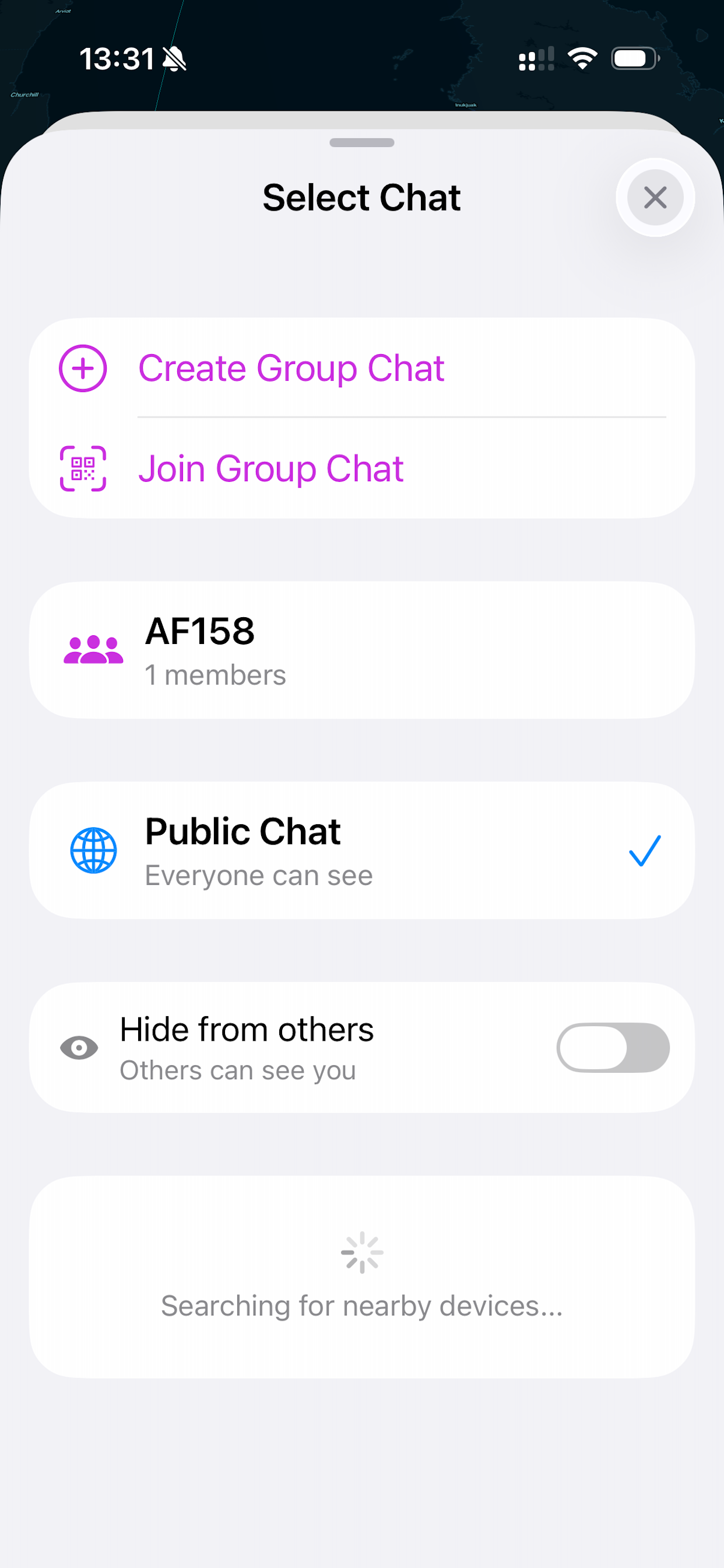
The chat now opens as a panel over the globe instead of taking over the whole app — swipe down and the map is right where you left it. It follows your light or dark setting (the old version was dark only), and each area of the screen — people, conversations, message box — sits on its own clearly separated surface.
The Apple Watch complication got the fix long-haul users have been waiting for. It now keeps counting down to arrival on its own, even when the Bluetooth link to the iPhone drops for a while inflight — no more premature “Waiting for iPhone” on your wrist over the ocean.
The rest of the app got tidier too: Settings, Aircraft, Itinerary, and Chat now share the same title bar and the same soft close button, in the standard iOS style, so every screen closes the same way.
Full details on the Off 2 app page. Get the update on the App Store — a free update for existing owners.