Off 2 v2.0 — a NASA globe, airport details on zoom, and a sharper ETA
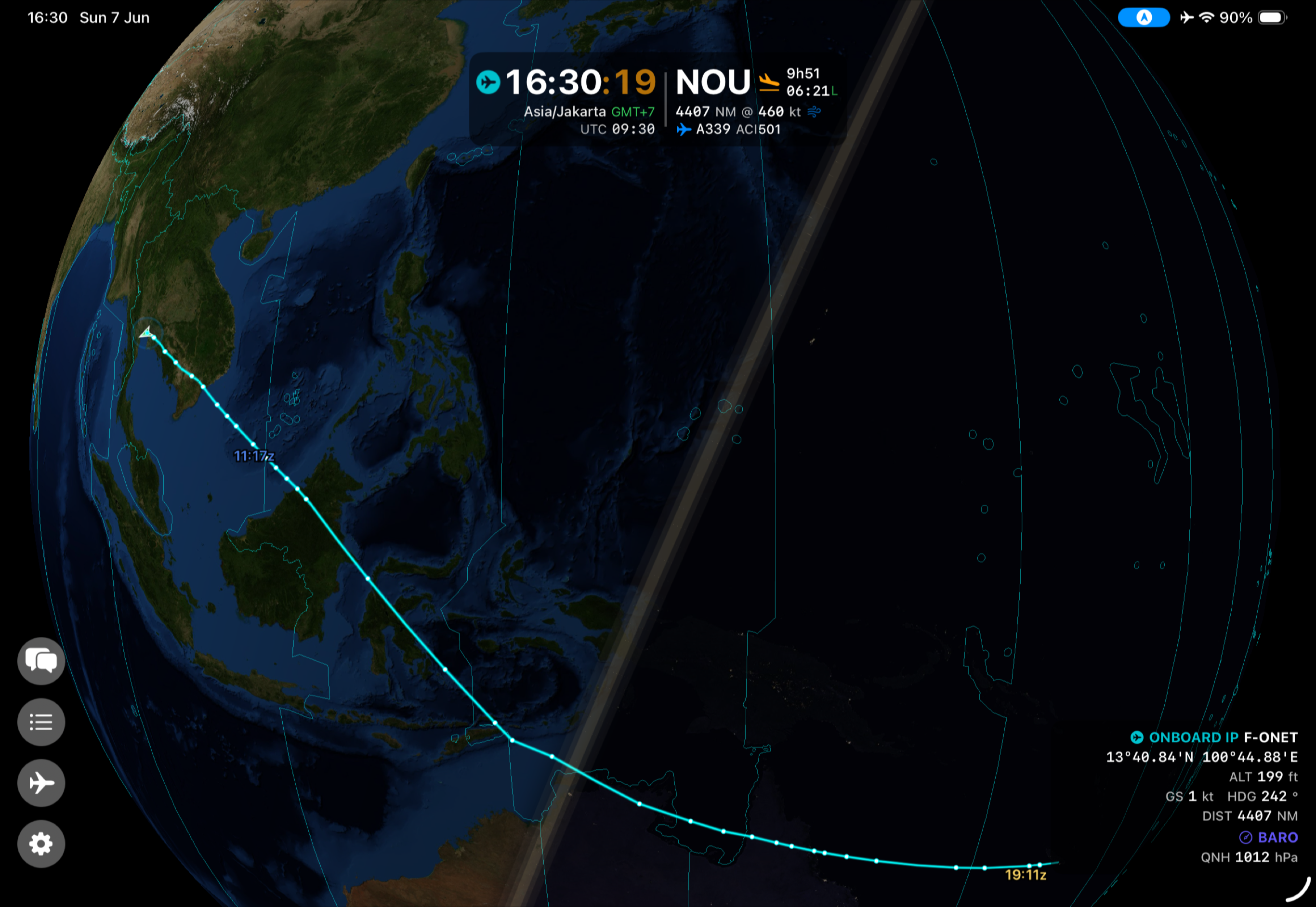
Off 2 2.0 is the biggest update yet, and it starts with the view. The globe is now painted with NASA Blue Marble satellite imagery on the day side and Black Marble city lights on the night side, blending right at the live day/night terminator. Your flight unfolds over a beautiful, realistic Earth — and because all the imagery is bundled, it still works with no internet at any point.
Zoom in and the world fills in with detail: airports now reveal their runway length, elevation, and suitability for your selected aircraft, with color-coded markers so you can see at a glance which fields could take you. You pick the runway-length unit — feet, meters, NM, or statute miles — in Settings.
Time is clearer too. Over open ocean, where the zone used to read as a cryptic Etc/GMT+12, Off 2 now shows a plain UTC offset (for example UTC-12) that matches the abbreviation, with a small +1 / -1 day indicator when your local date differs from UTC — so the International Date Line is never confusing. The clearer label carries through to the Lock Screen, the Dynamic Island, and Apple Watch. The day/night crossing markers were also rebuilt to account for your cruise altitude and verified against NOAA data.
Under the hood, the arrival estimate is now a stable, FMS-style ETA that models climb, cruise, and descent — including the 250 kt speed limit below 10,000 ft — with wind correction, so the time to destination converges smoothly instead of jumping around. Add full 33-language support and a long list of refinements, and 2.0 is a substantial step up.
Full details on the Off 2 app page. Get the update on the App Store — a free update for existing owners.